Migrating to Another Email Client
If you are switching email client and need to move your emails, contacts and calendars from MS Outlook to another email application, you will need to convert PST file into any desired file format.
Move your Outlook mailbox to 15+ formats including Cloud servers with 100% data integrity.
⚙ 100% Standalone Conversion Engine — Convert PST files without installing Microsoft Outlook.
Available for Windows, Mac, and Linux. Pick your OS, then download or buy. Demo: first 25 items per folder.
Free Live Demo: converts and exports the first 25 emails / items per folder for each output format.
Windows · Mac · Linux · Version 11.0 · From $29
Convert PST to 15+ formats without Outlook
See Softaken Ultimate Outlook PST Converter Pro load a PST file, preview folders and messages, choose export formats (MBOX, EML, PDF, MSG, HTML, IMAP / Office 365 and more), and convert with Deep Scan — no Microsoft Outlook install required.
Convert Outlook PST (Personal Storage Table) File is often necessary in specific situation. Here you can check the most common reasons where you might need to convert PST File
If you are switching email client and need to move your emails, contacts and calendars from MS Outlook to another email application, you will need to convert PST file into any desired file format.

You might want to extract or transfer email data like Attachments, phone numbers, calendars and contacts. You can use this tool to extract emails, contacts, calendars, attachment or Phone Number Etc.
You may need to create a Backup of Your Outlook data and transfer it to another machine, OS, or Email Platform, this tool will help to perform this task without any dependency.
MBOX · EML · EMLX · MSG
PDF · HTML · MHTML · RTF · TXT
VCF (vCard) · CSV · ICS (iCalendar)
Office 365 · IMAP / Gmail · Zimbra (TGZ) · Lotus Notes (NSF)
Effortlessly convert Outlook PST files to MBOX format with an advanced filter option. The software preserves the folder hierarchy and allows users to exclude all empty folders during the conversion process. Looking to convert other mailboxes into Outlook instead? Explore our Outlook Migration Tools.
The tool allows you to export all mailboxes from MS Outlook PST to Zimbra TGZ format, supported with all Zimbra versions. With advanced conversion features, software ensures a seamless and efficient migration to Zimbra.
Separate PST to EML format is simple with this PST converter. The tool effortlessly extracts all or selected folders from Outlook PST and creates EML files supported with popular EML-supported email clients like Thunderbird, Windows Mail, Apple mail, eM Client, Outlook Express and Maildir etc. It also supports naming conventions using Subject, Date, and From for better email organization.
Converting PST file for EMLX format is quick and easy with this converter. The tool allows you to extract all or specific folders from Outlook PST and create EMLX files that supported with macOS Mail and Apple Mail etc.
Easily convert PST files to MSG format with this converter. It helps to extract entire folders or specific emails from your Outlook PST and save them as MSG files, fully supported with Microsoft Outlook.
Convert PST files into HTML format with this PST conversion. It allows you to select specific folders or emails from your Outlook PST and save them as HTML files, preserving the original content and support all Web Browsers (Chrome, Firefox, Safari, Edge)
Quickly convert PST files to MHTML format using this easy-to-use software. You can select entire folders or specific emails from your Outlook PST and save them as MHTML files. Application preserve all content and formatting.
Convert PST emails to PDF documents effortlessly with this PST conversion tool. It allows you to extract emails, attachments, and folders from Outlook PST and save them as PDF files, ensuring easy access and archiving with a professional layout. Naming conventions based on Subject, Date, and From are also available for streamlined document management.
Easily convert PST files contacts into VCF format with this PST contacts conversion feature. Software easily extract contacts from Outlook PST and save them as VCF files with vCard 4.0 (RFC 6350) standard support for latest iPhone and Android devices. You can easily import your contacts into various email clients and mobile devices.
Effortlessly convert PST files to CSV format with this efficient PST converter. Extract contacts from your Outlook PST and save them as CSV files, making it easy to import into spreadsheet applications or other email clients.
Seamlessly Import PST emails into IMAP format. It allows you to transfer your emails, from Outlook PST to any IMAP supported server, including direct authenticated upload workflows for Gmail and Office 365, enabling smooth access across multiple devices and email clients.
Easily convert PST files to Lotus Notes NSF format with advanced filtering option. This tool will help you to generate both Mails.nsf for emails and Names.nsf for contacts. Seamless transfer of Outlook Data for efficient migration to Lotus Notes.
Browse the PST, preview the mailbox in the converter UI, then export — no Microsoft Outlook required. Click any screenshot to enlarge.
Launch Softaken PST Mailbox Converter and add an ANSI or UNICODE Outlook PST. The tool loads the mailbox folder tree so you can start conversion without installing Outlook.

Use the converter UI to inspect Inbox, Sent, Calendars, and Contacts. Check the email list and message preview, then select folders or items and apply filters before you export.

Open Export Options and pick the output you need — MBOX, EML, EMLX, MSG, PDF, HTML, VCF, ICS, TGZ, NSF, or IMAP / Office 365 — then start conversion with folder hierarchy and attachments preserved.

More help: step-by-step user guide · additional screenshots
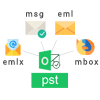
PST Mailbox Converter converts PST to various other formats with just a few simple steps including MSG, MBOX, EMLX and EML formats.
The ultimate tool is designed to support conversion of PST contacts to VCF formats so that users don't find any difficulty in sharing of contact information to smart phones such as Blackberry and iPhone.

PST Mailbox Migration tool is designed to support conversion of those PST files carrying double byte data languages including Korean, Japanese, Chinese etc.
Application supports corrupted PST handling with dedicated recovery mode and deep scan routines to parse damaged mailbox structures more reliably. Unlike ScanPST.exe — which frequently fails or deletes unreadable records on oversized 20 GB+ PST files — Softaken uses non-destructive Deep Scan to recover mail items without altering source bits.

PST File Converter provides preview of the converted items so that users can check the accuracy of loaded items before their final export.
The tool is made to support accurate data migration. There is no loss of data. It is able to converts up to 60 contact fields and also preserves the Contact photos well.

The converter program is able to migrate password protected PST files with ease. You need to provide the exact password of these files.

The software supports rich quality user interface which clearly indicates that it is easy to operate the program. With simple user interface, it takes a little time to perform the conversion.

Software works with all old & new MS Outlook versions. Convert ANSI & Unicode Microsoft Outlook PST files into multiple file extensions.
Tool to Convert Outlook PST files into different file format and Email Clients
 HTML
HTML EML
EML EMLX
EMLX MBOX
MBOX PDF
PDF MSG
MSG| Features | DEMO Version | FULL Version |
|---|---|---|
| Export Outlook Emails in EML / EMLX / MBOX / MSG | ✅ Included | ✅ Included |
| Export Contacts in VCF / CSV / MSG Format | ✅ Included | ✅ Included |
| Export Emails to PDF, HTML, MHTML, RTF, TXT & ICS | ✅ Included | ✅ Included |
| Recover Deleted Items from Outlook Trash | ✅ Included | ✅ Included |
| Non-destructive Deep Scan (vs ScanPST.exe on 20 GB+ files) | ✅ Included | ✅ Included |
| Support Plain Text, RTF & HTML, MHTML Formats | ✅ Included | ✅ Included |
| Upload to IMAP / Office 365 / Gmail workflows | ✅ Included | ✅ Included |
| Support Windows, Mac, and Linux | ✅ Included | ✅ Included |
| Limitation | First 25 items per folder | Unlimited |
| Price | FREE | $29 |
Demo version converts and exports the first 25 emails / items per folder for each output format. Full license unlocks unlimited conversion.
Windows 11, 10, 8.1, 8, 7 & other · macOS · Linux
11.0 · 18.2 MB
ANSI & UNICODE · password-protected · 20 GB / 50 GB+
First 25 items per folder · from $29
| Specification | Details |
|---|---|
| Version | 11.0 |
| Installer Size | 18.2 MB |
| License From | $29 (Unlimited full edition) |
| Free Demo | Preview with Deep Scan and export up to 25 items per folder |
| PST type | ANSI & UNICODE; password-protected; oversized archives |
| Platform | Windows, Mac, and Linux |
| Prerequisite | Microsoft Outlook not required (standalone engine) |
| Processor | Any Pentium Class |
| Memory | 512 MB Minimum |
| Hard Disk | 100 MB free space for software installation |
| Outlook Support | Outlook 2021, 2019, 2016, 2013, 2010, 2007, and older ANSI/Unicode PST files |
| Delivery | Electronic via email (approx. 15 minutes) |
| Interface languages | English, Afrikaans, French, Dutch, Japanese, Portuguese, Spanish, Chinese, German, Italian, Russian, Indonesian, Danish, Hungarian, Norwegian, Polish, Swedish, Turkish, Vietnamese, Czech, Thai |
| Support | Emails, Chat & Skype |
| Technical | RFC 6350 vCard 4.0 · UTF-8 · Deep Scan · Recovery Mode · Temp Copy |
| User guide | PST Mailbox Converter steps |
| Purchase | Buy Now — from $29 |
Installation Guide · User Manual · Purchase Related FAQs
Client feedback from Softaken customers who converted Outlook PST to other formats.
Verified user · Large PST to EML / PDF export · United States · Windows
Used Softaken PST converter to export a large archive to EML and PDF. Results were accurate and folders stayed intact. Takes some time on ~80GB files on my older PC, but conversion finished clean and attachments opened fine.
Accurate export, folder structure kept
Large 80GB jobs take a while on older PCs
Verified user · Compared multiple PST converters · New Caledonia · Windows
I tried 3 tools before and finally use Softaken PST Converter. I really like this tool. I tried this software a few months ago and liked it better than others.
Better than other tools tried
Verified user · Outlook PST email migration · United States · Windows
This app works so well, I didn't even remembered I had it installed and purchased, but I am happy with tool. Sometimes I used it for email migration and it convert outlook pst file like charm.
Reliable PST conversion when needed
Verified user · PST to MBOX for Thunderbird · Australia · Windows
I bought this Outlook PST file converter software after testing freeware evaluation copy and found its very good product for transferring outlook mailbox. The tool maintained my complex folder structure during PST to MBOX conversion, making it easy to import into Thunderbird. Thanks support team.
Folder structure preserved, good support
Softaken Ultimate Outlook PST Converter Pro exports PST to standard mail formats (MBOX, EML, EMLX, MSG), document / web formats (PDF, HTML, MHTML, RTF, TXT), contacts & calendar (VCF / vCard, CSV, ICS), and enterprise / cloud targets including IMAP, Office 365 / Gmail upload workflows, Zimbra TGZ, and Lotus Notes NSF.
No. The software uses a 100% standalone conversion engine. You can open, preview, recover, and convert PST files on Windows, Mac, or Linux without installing or configuring Microsoft Outlook.
Default PST locations:
C:\Users\<username>\Documents\Outlook Files%localappdata%\Microsoft\OutlookSoftaken can open ANSI and UNICODE PST from those folders for PST conversion without Outlook installed.
Yes. The tool supports both ANSI and UNICODE PST files created by Outlook versions commonly used on Windows, including older archives and newer Outlook PST data.
Yes. Password-protected PST files convert when you enter the correct password when prompted. Orphaned, inaccessible, or damaged PST files can be processed with non-destructive Deep Scan / recovery-focused parsing so recoverable mailbox items can still be exported — without altering the source PST bits.
Unlike ScanPST.exe, which frequently fails or deletes unreadable records on oversized 20 GB+ PST files, Softaken uses non-destructive Deep Scan to recover mail items without altering source bits, then lets you export with this Outlook PST converter to MBOX, EML, PDF, MSG, and more.
Yes. Conversion is designed to keep folder hierarchy, email attachments, and message formatting (including HTML / rich-text content) according to the selected output format, with options to filter empty folders where supported.
Yes. Outlook contacts can be exported to VCF (vCard) — including vCard 4.0 / RFC 6350 style support — and CSV. Calendar items can be exported to ICS (iCalendar) for use in calendar apps and other platforms.
There is no artificial file-size cap in the licensed software for typical multi-gigabyte and oversized PST archives (including 20 GB / 50 GB+ files). Available system resources (RAM and free disk space) should be sufficient for large conversions.
Demo version converts and exports the first 25 emails / items per folder for each output format so you can verify preview, filters, and export quality. The full license (from $29) unlocks unlimited conversion.
Download the free demo for Windows, Mac, or Linux (first 25 items per folder), then upgrade to a full license from $29 when you are ready.
Available for Windows, Mac, and Linux. Pick your OS, then download or buy. Demo: first 25 items per folder.
