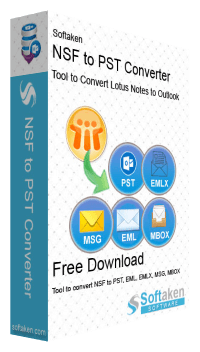
Softaken NSF to PST Converter

Professional Lotus Notes to Outlook Migration — Securely convert IBM/HCL Notes NSF mailboxes, contacts, and calendars into Outlook PST without altering data hierarchy.

NSF to PST Converter is essential tool for migrating IBM/HCL Notes data to Outlook. It ensures smooth transfer of emails, contacts, calendars and other items. Overcoming Supported Issues While Preserving Data Integrity and Non-English Content.

Note: During conversion Lotus Notes installation is required and NSF file should not be encrypted. Microsoft Outlook is not mandatory.

  • Seamless Migration: Convert IBM Lotus Notes NSF emails, contacts, calendars and tasks to Outlook PST.
  • Multiple Export Options: Save emails into PST, EML, EMLX, MSG, MBOX, HTML & PDF formats.
  • Batch Migration: Effortlessly migrate multiple NSF files, including Domino Server data, with no data loss or alteration.
  • No Outlook Required: Convert NSF to PST without needing MS Outlook installed.
  • Advanced Search & Preview: Easily search NSF files and preview before conversion with multiple saving options.
  • Supports All Lotus Notes Versions: Works with IBM/HCL Notes 6.5 to latest.
  • Preserve Folder Structure: Maintain the original folder hierarchy during conversion.
  • Outlook Supported: Fully supports Outlook 2019, 2016, 2013, 2010, and more.
  • Naming & Attachment Options: Customize file naming and extract attachments during conversion.
  • Free Demo & 24/7 Support: Try before you buy and get expert assistance anytime.

Available for Windows only (Windows 11, 10, 8.1, 8, 7 & other). Lotus Notes must be installed; Outlook is not required.

Free Live Demo: Demo version of NSF to PST Converter will help you to Export 10 items.

Softaken NSF to PST Converter
Safe & Secure DownloadIndependently scanned with multiple antivirus engines.
100% Safe
  • NSF to PST
  • Preview
  • Batch export
  • 21 UI Languages
  • No Outlook Required
  • Demo 10 items

Windows only · Version 14.0 · From $49

Quick Facts

Supported Formats
PST, EML, EMLX, MSG, MBOX, HTML, PDF
Price
From $49 USD
OS Supported
Windows only
Version
14.0 · 12.6 MB
Free Demo
Preview & export 10 items

How to convert NSF to PST

Watch the guided workflow — load NSF files, preview Lotus Notes data, and export PST for Microsoft Outlook.

See NSF to PST in action

Five simple steps to convert Microsoft Outlook PST files:

  1. Launch Softaken NSF to PST converter on your device.
  2. Browse the NSF file using the Select Files button.
  3. Choose the folder to Preview the selected files from the Tree-structure.
  4. Select the PST format from the Export type option.
  5. Click Convert Now to initiate the NSF to PST conversion.

Why We Need to Use Lotus Notes NSF to PST Conversion

Converting Lotus Notes NSF files to Outlook PST is often necessary for several key reasons, particularly for organizations or individuals making the conversion from IBM Notes to Microsoft Outlook. Here are the primary reasons why such a conversion is needed:

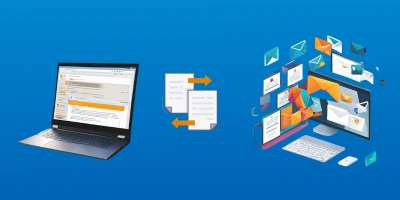
convert lotus notes nsf to multiple files

To Convert Lotus Notes NSF file to Various Formats

You can use Softaken NSF to PST Converter to perform the conversion of NSF file to multiple formats such as EML, MSG, MBOX, HTML, PDF, PST, HTML, & EMLX. This will allow users to export NSF file data to supported email clients like Apple Mail, Thunderbird, etc.
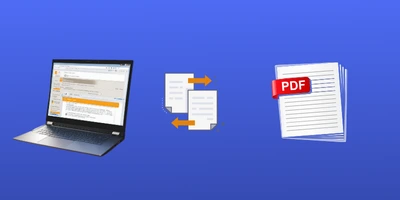
convert nsf to pdf file format

To Easily Print NSF file by transforming into PDF file

With PDF format, printing data can become very easy for users. Use our software and quickly convert NSF file to PDF file format without losing attachments. The software reliably carries out the conversion keeping all your sensitive information safe.

convert nsf to outlook pst

When you have shifted to Outlook from HCL Notes

Due to friendliness, less maintenance, affordability and offline data accessibility by Outlook, majority of users want to migrate from HCL Notes to Outlook. Then, access of NSF file in Outlook is the biggest challenge which you can overcome with our software.

Software interface

Click each step to see the matching screenshot — browse NSF, preview folders, then export. Microsoft Outlook is not mandatory.

Buy License Online 100% Clean & Safe
Browse NSF files in Softaken NSF to PST Converter

step 1 of 3

Software interface available in 21 languages

Change Language in the NSF to PST Converter UI to work in your preferred locale.

  • English
  • Afrikaans
  • Chinese
  • Czech
  • Danish
  • Dutch
  • French
  • German
  • Indonesian
  • Hungarian
  • Italian
  • Japanese
  • Norwegian
  • Polish
  • Portuguese
  • Russian
  • Spanish
  • Swedish
  • Thai
  • Turkish
  • Vietnamese

More help: step-by-step user guide · additional screenshots

We Convert All Data From Lotus Notes NSF

Every folder hierarchy, email header, embedded attachment, contact attribute, calendar item, task, and journal entry is migrated with data integrity preserved.

Emails & their Properties

Convert NSF emails with complete message properties into PST and other formats.

100% Preserved

Softaken NSF to PST Converter migrates Lotus Notes emails with key meta properties intact. Popular elements include:

Supported elements & fields

  • To, CC, BCC, From
  • Date & Subject
  • Email body formatting
  • Non-English content

Message properties, folder placement, and body formatting stay intact so Outlook (or EML/MSG/HTML/PDF export) receives usable mail — not empty shells.

Multiple Lotus Notes NSF Export Options

Software helps to convert NSF files into MBOX file format. MBOX is supported with popular email clients like Thunderbird, Apple Mail, and Eudora for seamless email management and migration.

Key Features of Softaken NSF to PST Conversion Tool

highly intractive

A Highly Interactive Application

Softaken's Convert NSF to PST software is a user friendly application that you can choose to export into the way you would like. This wizard has two windows and in just 3-4 simple steps, NSF file conversion is completed seamlessly. It is a straightforward app to install in your Windows OS.

select multiple nsf files

Option to Select NSF Files

The Lotus Notes NSF to PST exporter gives you the flexibility to choose the NSF files that you would like to export. Add a particular NSF file by attempting local folder. Open any drive and any folder to locate the targeted NSF file. The NSF file converter allows you to select a particular NSF file automatically.

nsf preview free

Preview HCL Notes Database Details

Softaken NSF to Outlook PST wizard shows the entire file content in a systematic manner. You can view the number of folders, the number of items in each folder and the content of the item clearly. This will give you a quick look to the selected .nsf file which makes the tool user friendly.

safe and secure conversion

100% Safe & Secure Reliable Software

Softaken Software is known for its excellence. This NSF to PST converter is one of the best result oriented software that convert all your Lotus Notes database with all mail items i.e. Emails, Contacts, Calendar, Journal etc. to Outlook PST, PDF, EML, MSG and EMLX file formats safely.

multiple export option

Convert NSF Files to Multiple Formats

The export process of the NSF to PST app carries in 6 different file formats- NSF to PST, NSF to EML, NSF to PDF, NSF to EMLX, NSF to MBOX and NSF to MSG. Choose any one of them to successfully export the Lotus/HCL Notes database to the particular file format. You are free to choose any one of them.

selected folder

Export IBM/HCL Notes Database In Bulk

The Lotus Notes to Outlook converter gives you the flexibility to convert entire data of NSF file to PST or choose specific folders for migration. The option "Selected Folders" will include all the folders that are checked in the tree view. This is how highly customized NSF file conversion is achieved.

accurate

Zero Data Loss Guarantee with 100% Integrity

Error free conversion is attempted by the tool every time. No matter how many times you are using it every time the conversion quality is accurate. It retains data quality including mails, email properties, folder hierarchy, address, contacts, names etc… This is a reliable convert NSF to PST software to attempt error free migration.

supported

Wide Support to Windows | Notes | MS Outlook

The NSF to Outlook PST Software is supported with NSF files created by all major versions of HCL Notes 10.0.1, 9.0.1, 9.0, 8.5, 8.0.2, 7.0, 6.5, and 6.0. Also, it supports MS Outlook 2019, 2016, 2013, 2010, 2007, and 2003 versions and runs smoothly under all significant Windows versions like 11, 10, 8.1, 8, 7, Vista, XP, etc.

Feature Comparison of NSF to PST Converter – Trial and Licensed Version

FeaturesDEMO VersionFULL Version
Export in PST/EML/EMLX/MBOX/MSG/PDF Format✅ Included✅ Included
Recover Deleted Items from Lotus Notes Trash✅ Included✅ Included
Support Plain Text, RTF & HTML Formats✅ Included✅ Included
Support all Lotus Notes Version✅ Included✅ Included
Support Outlook 2013/2016/2019 & Lower Versions✅ Included✅ Included
Support Windows 11/10/8/7/others✅ Included✅ Included
Limitation10 itemsUnlimited
PriceFREE$49

Demo version of Softaken NSF to PST Converter will help you to show Preview and Export 10 items. Full license is unlimited from $49.

NSF to PST Converter Specifications

Clear system requirements, platform support, and export formats for Softaken NSF to PST Converter — so you know exactly what runs on your PC before download.

  • 100% Offline & PrivateConvert Lotus Notes NSF locally on your Windows PC. No Domino Server session is required during export; disconnect Domino before conversion.
  • No Outlook RequiredMicrosoft Outlook is not mandatory. Lotus Notes must be installed and configured; NSF files must not be encrypted.
  • No File Size LimitsNo artificial NSF size cap for PST, MSG, EML, or MBOX export in the licensed edition (demo: 10 items).
  • Full Windows SupportWorks on Windows 11, 10, 8.1, 8, 7 and other supported Windows editions (32/64-bit Outlook environments).

Hardware & OS

System Requirements

Processor
Any Pentium Class CPU
Operating System
Windows 11, 10, 8.1, 8, 7 & Other
Memory (RAM)
512 MB minimum
Hard Disk
100 MB free space for software installation
Installer
Version 14.0 · 12.6 MB download

Ecosystem

Platform Support

Desktop platform
Windows only (desktop NSF to PST converter)
IBM / HCL Notes
Lotus Notes / HCL Notes required (including 10.1, 9.0, 8.x, 7, 6.5 and below)
Microsoft Outlook
Not required to convert; export PST works with Outlook 32-bit and 64-bit when you open results later
Domino Server
Active Domino connection not required; disconnect Domino before NSF export
UI languages
21 interface languages (Change Language in the software)

Data & Formats

Supported Formats

Source
Lotus Notes / HCL Notes NSF mailbox databases
Primary export
Outlook PST (Personal Storage Table)
Also export to
EML, EMLX, MSG, MBOX, HTML, PDF
Mailbox items
Emails, contacts, calendars, tasks, journals and related Notes items
Selective export
Convert entire NSF or selected folders from the tree view

License & Support

Trial, Delivery & Help

Free demo
Preview and export first 10 NSF items
Full license
Unlimited conversion from $49 USD
Delivery
Electronic license via email (approx. 15 minutes)
Support
Email, chat & Skype

Interface languages: English, Afrikaans, Chinese, Czech, Danish, Dutch, French, German, Indonesian, Hungarian, Italian, Japanese, Norwegian, Polish, Portuguese, Russian, Spanish, Swedish, Thai, Turkish, Vietnamese.

Softaken Reviews

What Our Users Say

Client feedback from Softaken customers who converted Lotus Notes NSF to Outlook PST.

Marcus WebbCustomer feedback

Verified user · Large NSF archive to Outlook PST · United Kingdom · Windows

4/5

Solid NSF to PST tool for our Lotus Notes exit.

Solid NSF to PST tool for our Lotus Notes exit. Emails, contacts, and calendars came through correctly. Large NSF files take a while on older hardware, but the result was usable in Outlook and attachments opened fine.

What I liked

Accurate mail, contacts, and calendars

Could improve

Large NSF jobs are slower on older PCs

Priya NatarajanCustomer feedback

Verified user · Team NSF mailbox migration to PST · India · Windows

5/5

Used Softaken NSF to PST Converter to move several Notes mailboxes for our team.

Used Softaken NSF to PST Converter to move several Notes mailboxes for our team. Preview and selective folders made it easy to check data before export to Outlook PST. Folder structure stayed intact.

What I liked

Preview and selective folders; hierarchy kept

Kevin DefranceCustomer feedback

Verified user · NSF to PST conversion · Italy · Windows

5/5

Softaken NSF to PST file converter is like a helping hand for not so …

Softaken NSF to PST file converter is like a helping hand for not so technically sound people like me. I would like to recommend this software to my friends who really want an effective and accurate solution.

What I liked

Easy for non-technical users

Show more reviews
Anthony MolinaCustomer feedback

Verified user · IBM Notes to PST full migration · Japan · Windows

5/5

I found its demo version wonderful but had limited NSF file migration.

I found its demo version wonderful but had limited NSF file migration. So I requested license version for this. The licensed version of IBM Notes to PST Exporter works exactly like the demo version and offers complete migration. I am now far away from the burden of switching from Lotus Notes to Outlook.

What I liked

Licensed version matches the demo with complete migration

Rodney CarrilhoCustomer feedback

Verified user · Lotus Notes to Outlook 2019 migration · Italy · Windows

5/5

Recently my company planned to switch from Lotus Notes to MS Outlook 2019.

Recently my company planned to switch from Lotus Notes to MS Outlook 2019. The responsibility to find out a third party app was on me. My challenge was to look for the software that converts NSF to PST without any data loss. Lucky enough that I came across your NSF file conversion program. All set in a very less time and without any complain.

What I liked

No data loss during NSF to PST conversion

Frequently Asked Questions Regarding NSF to PST Converter

1. How to Convert NSF to PST File format?

Just follow a few simple steps to convert Lotus Notes NSF to Outlook PST:

  1. Step-1: Launch Softaken NSF to PST converter on your device.
  2. Step-2: Browse the NSF file using the Select Files button.
  3. Step-3: Now, choose the folder to Preview the selected files from the Tree-structure.
  4. Step-4: Select the PST format from the Export type option.
  5. Step-5: Click on the Convert Now button to initiate the NSF to PST conversion.
2. Installation of both ‘Lotus Notes’ and ‘Microsoft Outlook’ applications are necessary for conversion with NSF to PST Exporter?

It is not mandatory to install ‘Microsoft Outlook’ but Lotus Notes is necessary for successful configuration and transfer data.

3. Can the NSF to PST Exporter support conversion of NSF files to multiple formats?

Yes, this tool is specialized in converting not only NSF to PST but also NSF to MSG, NSF to EML, NSF to MBOX, NSF to PDF, and NSF to EMLX.

4. Can I export selective NSF emails into PST format?

Yes, you can convert desirable NSF files to PST format with this app. It gives control to the user’s hands for getting expected NSF file to PST conversion results.

5. Does your Software Support Outlook 64 Bit?

Yes, this NSF to PST Converter app supports both Outlook 32 and 64 Bits. It doesn’t matter which version of MS Outlook you are using, conversion is performed smoothly.

6. Does the NSF to PST software support all versions of HCL Notes?

Our NSF to PST Exporter is highly supported. It has been designed to export all available versions of IBM Notes including 10.1, 9.0, 8.0, 8.5, 7, 6, 6.5, and all below versions.

7. What does the FREE version of the convert NSF to PST software do?

The free version of NSF file to PST software permits only conversion of 10 NSF items to PST and helps the user in checking the software features. For complete database export, you need to purchase the license.

8. Am I required Domino Server environment to successfully export PST files?

No, it is not necessary to have an active Domino Server environment to export Lotus Notes to Outlook. In fact, you need to disconnect the Domino server before converting Lotus Notes to PST or any other format. All you need is Lotus Notes properly configured with a valid POP3 / dummy profile on your machine.

9. What is the size limit of NSF to successfully migrate into PST/MSG/EML/MBOX?

The interesting thing about the Export NSF to PST software is that it doesn’t restrict you to convert any size of NSF files to PST format. It means you will be able to convert any size NSF file into Outlook PST format.

Convert Lotus Notes NSF to PST—try free

Download the Windows demo (preview & export 10 items), then upgrade to a full license from $49 when you are ready.

  • ✔ Windows 11, 10, 8.1, 8, 7
  • ✔ PST, EML, EMLX, MSG, MBOX, HTML & PDF
  • ✔ Lotus Notes required · Outlook not mandatory

Available for Windows only (Windows 11, 10, 8.1, 8, 7 & other). Lotus Notes must be installed; Outlook is not required.