
Complete Conversion Quality
MSG to MBOX Converter is a top-quality tool that supports conversion of MS Outlook MSG files into MBOX format with full maintenance of originality and quality of all MSG files. There is no data loss faced at all.

See Softaken MSG Converter workflow on Windows: load MSG files or a folder, preview items, choose output destination, and convert to MBOX — without Microsoft Outlook installed.
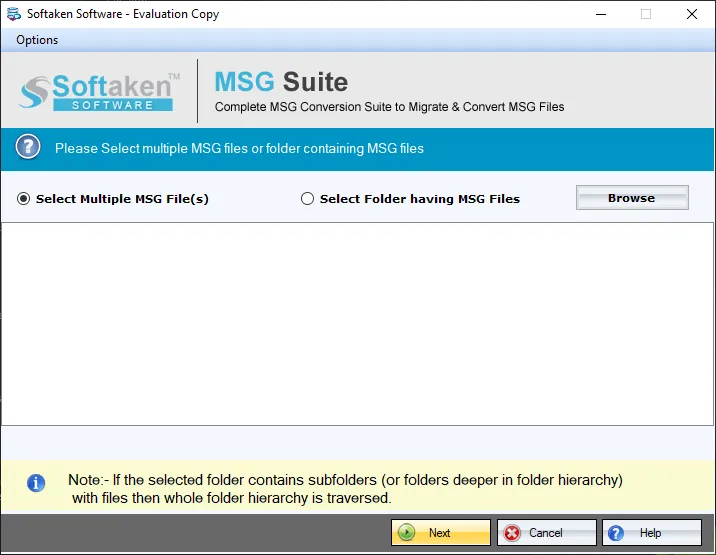
Convert a single MSG file or a folder containing multiple MSG files in batch mode.
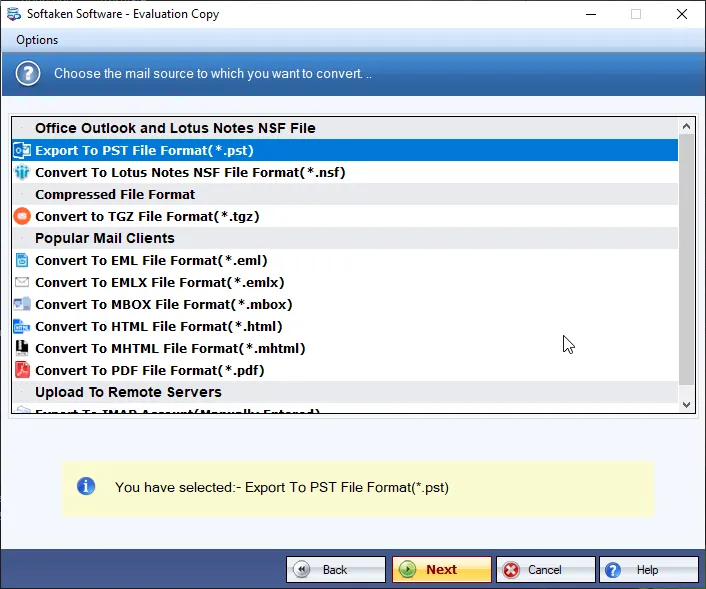
Once MSG files are loaded, the software scans them and provides an entire preview before final export to MBOX.
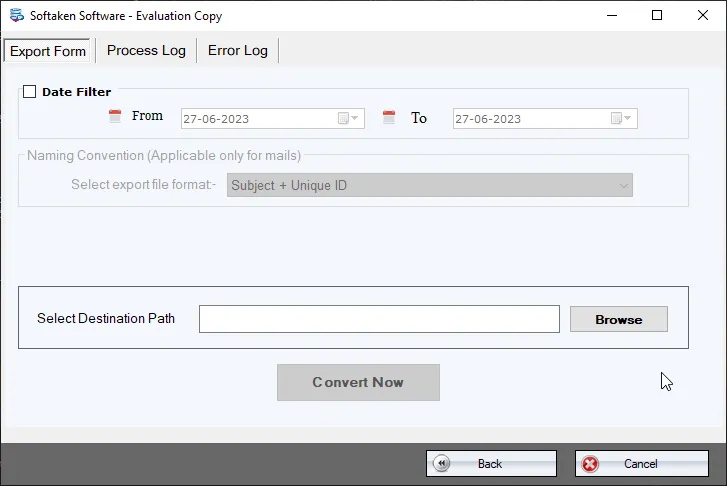
Specify an output destination before convert — create a new folder or use an existing one. One MBOX per MSG folder.
Free Demo converts 10 items. Full license unlocks unlimited conversion (from $29). Guide: user steps · demo video.
MSG to MBOX Converter is a top-quality tool that supports conversion of MS Outlook MSG files into MBOX format with full maintenance of originality and quality of all MSG files. There is no data loss faced at all.
MSG to MBOX conversion tool is capable to export MSG files from all the published editions of MS Outlook. It migrates orphan or configured MSG files. The program supports 32 and 64 bit as well as Outlook 2016 files conversion.
The high-end program is designed to convert MSG files containing all emails and attachments. It easily converts the entire data without taking much time. The whole conversion is done with full safety.
Operating the tool is easy. MSG 2 MBOX Conversion tool has a simplified interface to perform the conversion. The utility requires just 3-4 steps to completely migrate MSG files to MBOX format.
MSG to MBOX Converter has super fast conversion capability. It supports batch migration where users are allowed to convert a folder containing multiple MSG files. Single file conversion is also done.
MSG 2 MBOX program retains all the formatting of MSG emails- color, hyperlinks, font size, text format, tables etc. The styling of emails is intact even after conversion. Not a single change is done.
Like other conversion program, we are offering free MSG to MBOX trial. The demo version shows how the migration tool works. It helps to evaluate the migration program closely before purchasing the license.
Once MSG files are loaded to the software panel, the software scans those files and provide you an entire preview of these files. This will help you to check the files before their final export to MBOX format.
Once you are ready for conversion, MSG 2 MBOX Converter asks you to specify an output destination before convert MSG to MBOX. This path selection decision is in user's hands either by creating new folder or existing.
Free Demo version helps you evaluate the tool and converts up to 10 items. Full version unlocks unlimited conversion of Outlook MSG to MBOX.
System requirements and delivery details for Softaken MSG to MBOX Converter on Windows.
System Requirement
ProcessorAny Pentium Class
Operating SystemWindows XP, Vista, 8, 8.1, 7 & Other (comparison also lists 11/10)
Memory512 MB Minimum
Hard Disk100 MB free for installation
Software Delivery
ElectronicVia Email
Minutes15
Demo10 items
Starting Price$29
Interface Available
Language SupportedEnglish
Support OptionEmails, Chat & Skype
OutputMBOX (1 per MSG folder)
MSG SupportOutlook 2016/13 & lower; 32/64-bit
Download Guides

Truksa Verified
Czech Republic
A few months back, I used MSG emails to MBOX Converter and my friend recommended me this tool at a time. Till then I am recommending this software to all the needful users for safe and secure conversion of Outlook MSG files to MBOX format.
Gracie Verified
USA
I have decided to move from Outlook MSG format to Mac Mail MBOX format but was not finding a solution to access my MSG emails to MBOX format. Then, after a lot of searches, I got Softaken MSG to MBOX Converter and got a flawless export of MSG emails to MBOX.
Valenti Verified
Italy
Thank you so much to the developers of this software. This software made possible for me to move to Apple Mail MBOX format from Outlook within few simple steps. Earlier, it was just an imagination for me but your tool turned it into reality for me.
Gouw Verified
Netherlands
I generally prefer to use manual methods but not satisfied with it then I decided to move to third-party solutions and after discussing with my colleagues, I got Softaken MSG files to MBOX Converter suitable for me. When I used this tool, I found it worthy.
